
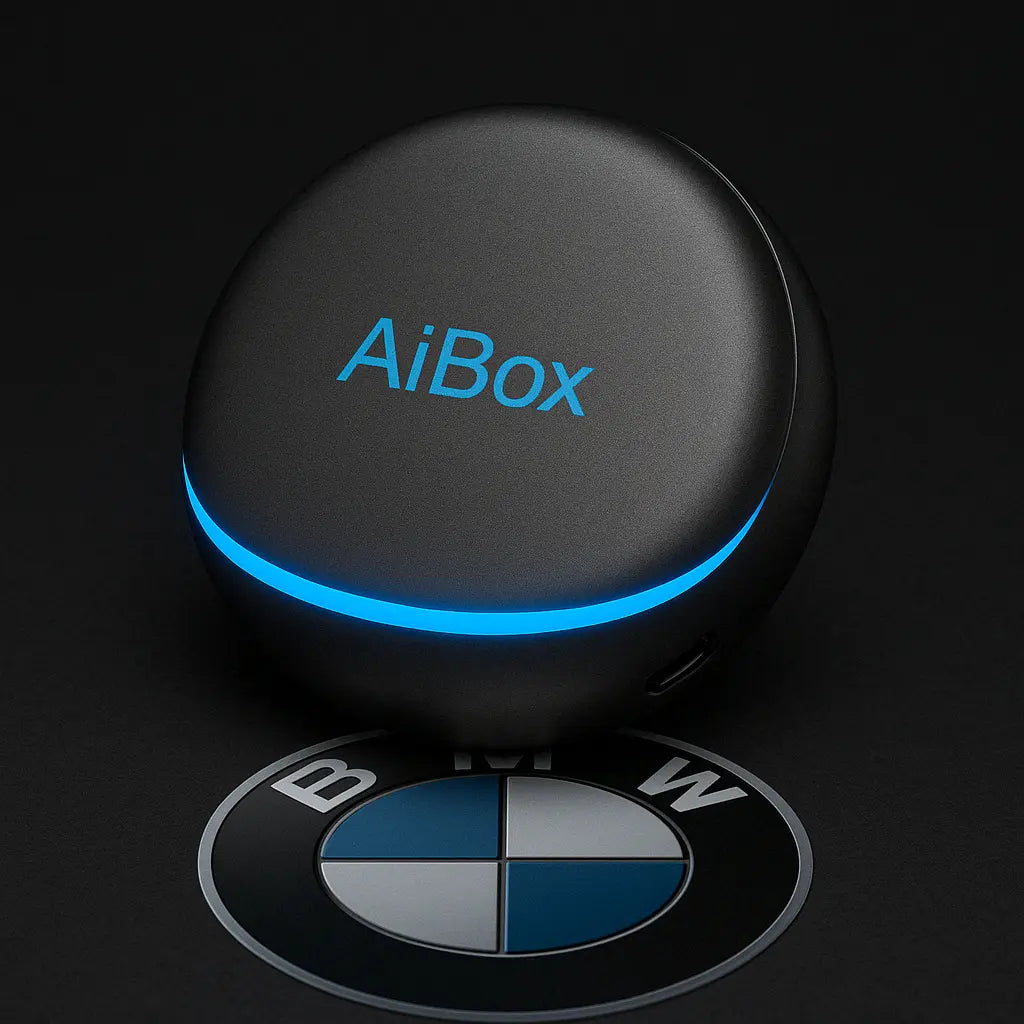
Product specially developed for BMW
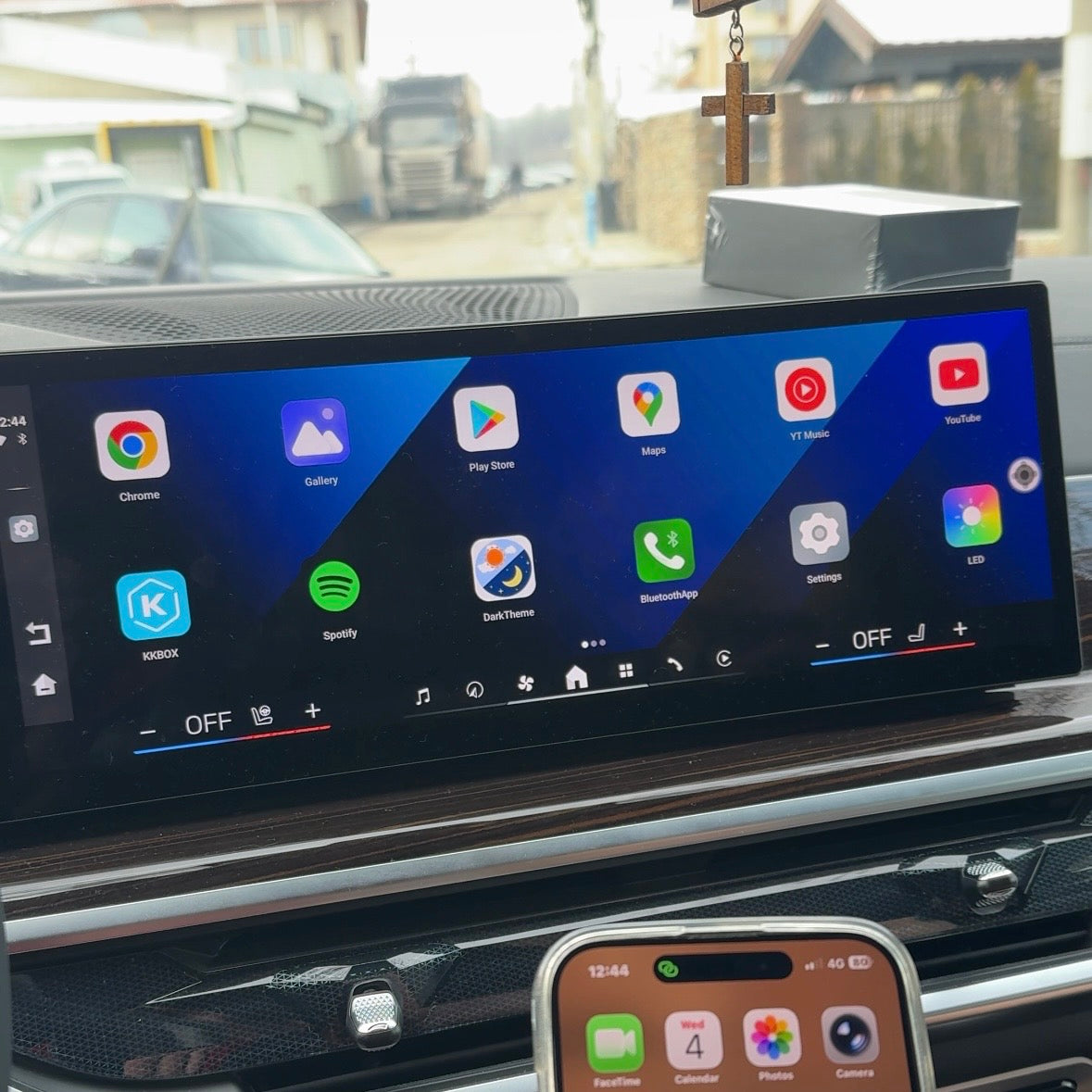
AiBox for BMW - all your favorite apps on the car screen
- Works with Android Auto and Apple CarPlay
- Watch Television, Netflix, Youtube and all your other favorite apps
- Works on the go
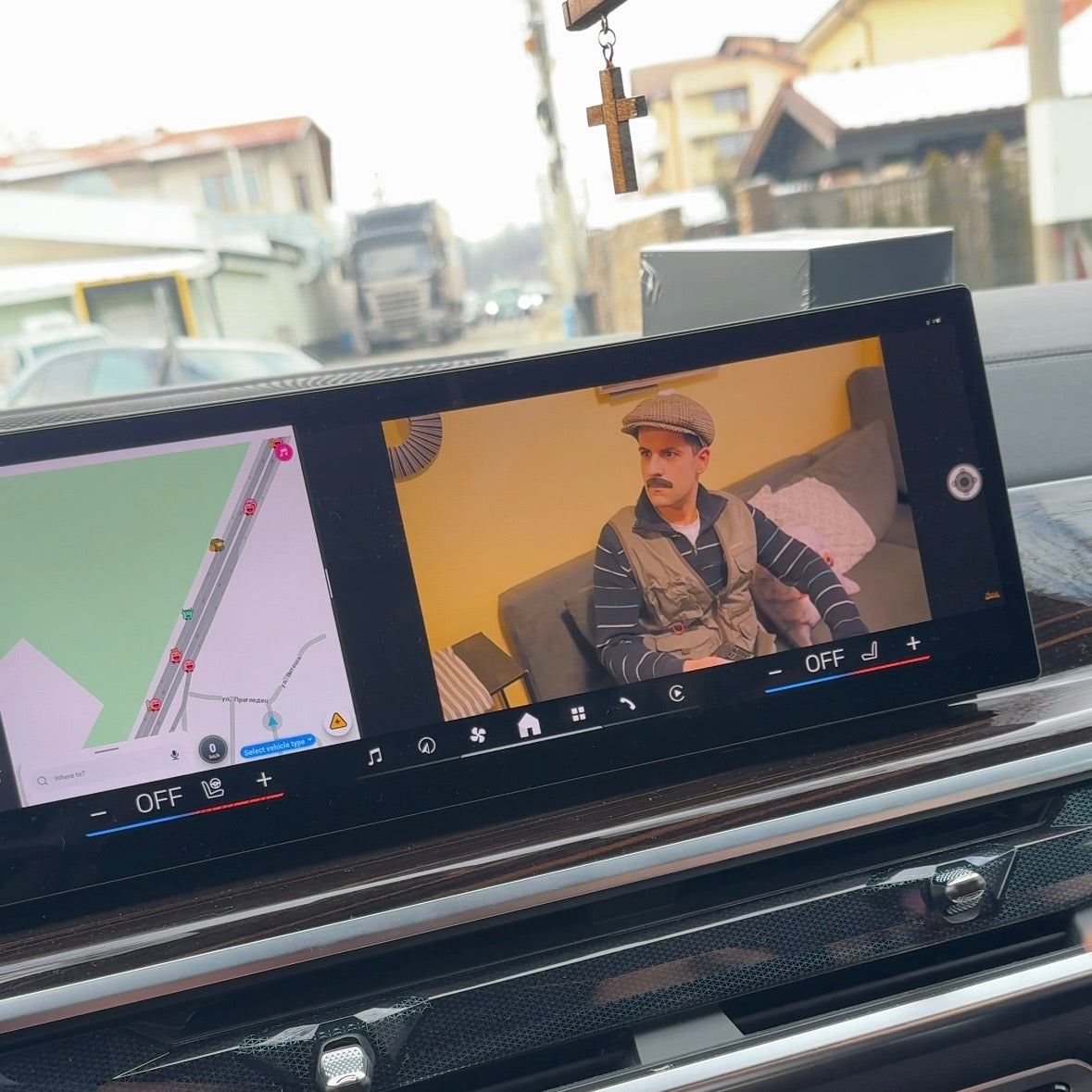
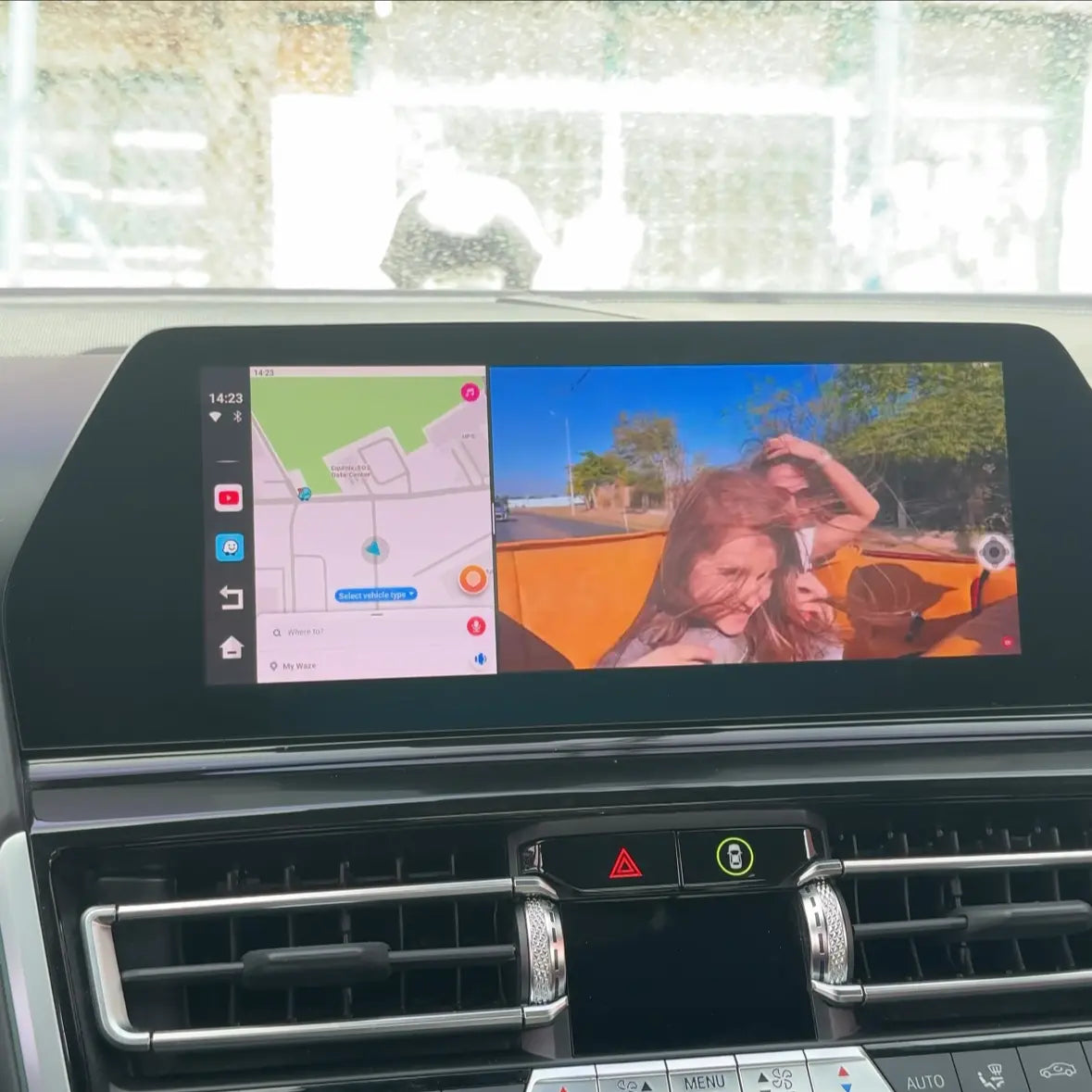
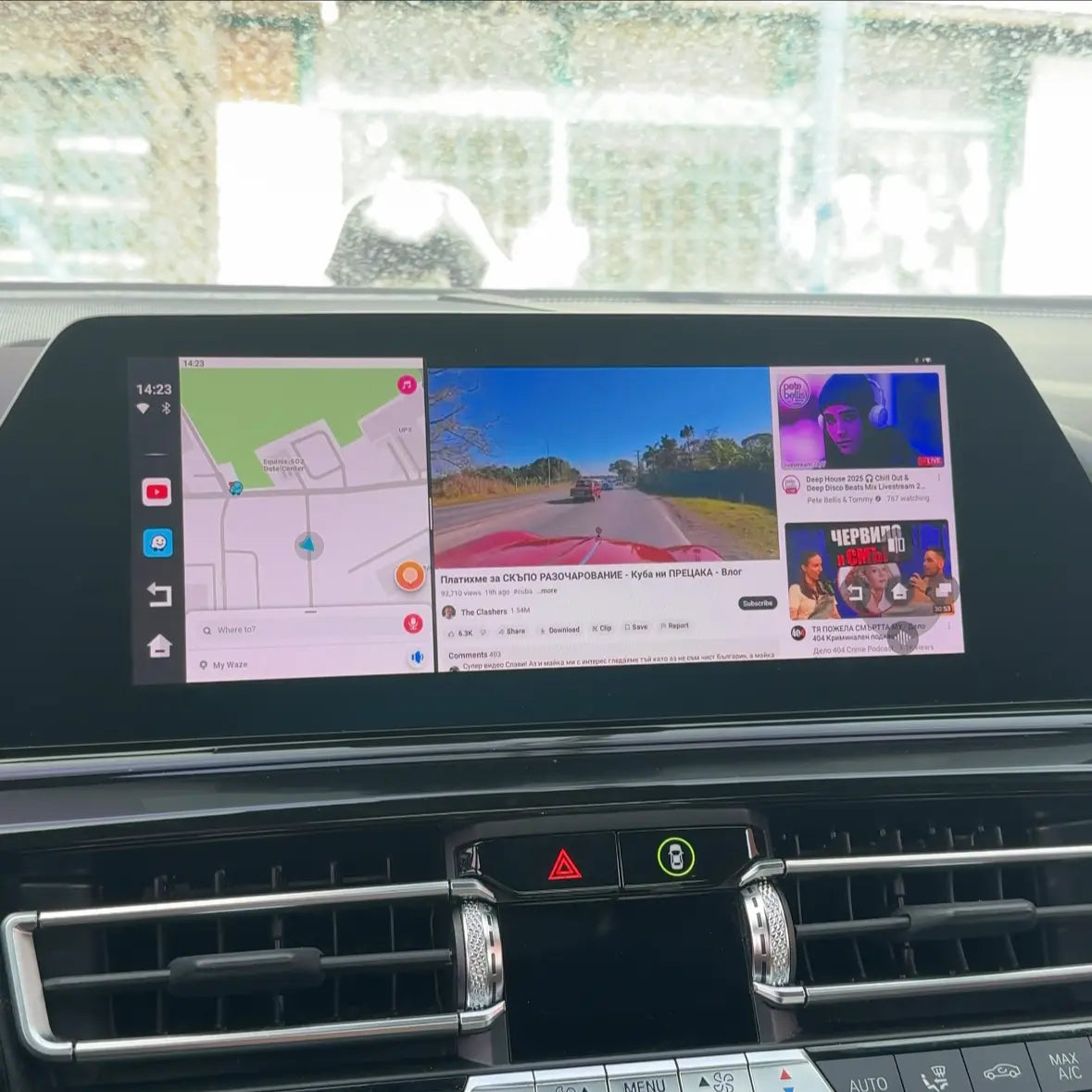
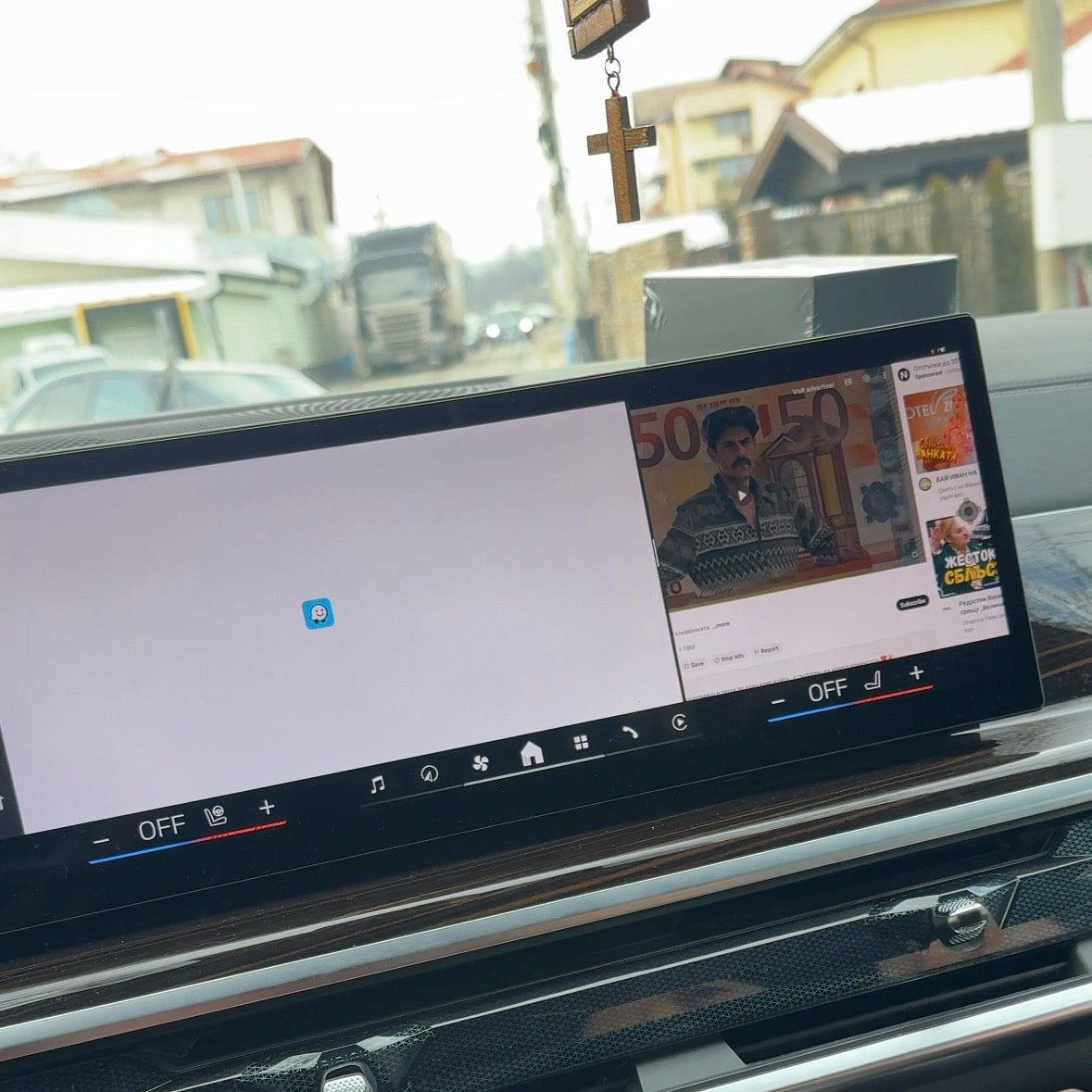
- Function for split screen - watch Google Maps and Youtube at the same time
- Internet connection via WI-FI, SIM card
- Automatic connection
 We ship the product within 24 hours
 30 days right of return


You get a 2-year warranty
2 year warranty - protection against manufacturing defects
What's in the box?
- AiBox Adapter
- USB cable (Type C - A)
- User manual
- Packaging
Technical specifications
PROCESSOR AND PERFORMANCE
- CPU: Qualcomm Snapdragon 6125 octa-core processor: Powerful chip ensures smooth operation of all applications
- RAM: 4GB LPDDR4
- GPU: Adreno GPU: Excellent graphics for games and videos
MEMORY AND EXPANSION
- Built-in: 64GB eMMC memory: For apps, music, offline video
- Expandable: microSD card up to 256GB: Extra space for large files
OPERATING SYSTEM
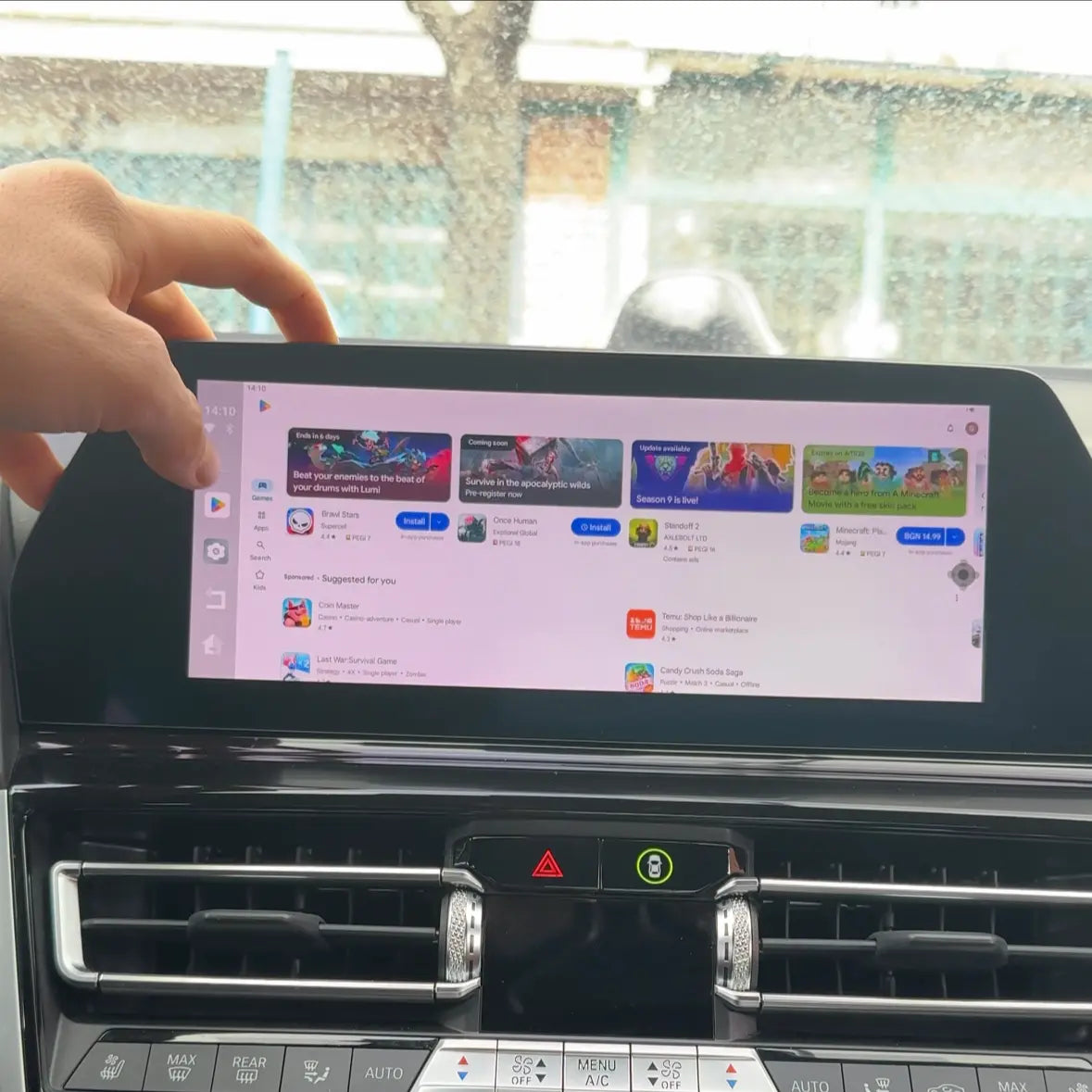
- Shop: Full access to the Google Play Store
- Updates: OTA (Over-The-Air) wireless updates - Always up-to-date system
WIRELESS CONNECTIVITY
- WiFi: Dual-band 802.11 a/b/g/n/ac (2.4GHz + 5GHz)
- Bluetooth: 5.0 with A2DP profile
- Mobile network: Nano SIM slot, 4G/LTE- Internet everywhere without dependence on a phone
PHYSICAL PORTS
- Power/Data: USB Type-C: For connection to BMW USB port
- SIM: Nano SIM slot
- Memory: MicroSD/TF card slot
DISPLAY FUNCTIONS
- Output: Integration with BMW iDrive screen
- Resolution: Full HD (1920x1080) support
- Split-Screen: Show 2 apps at the same time
AUDIO
- Output: Through BMW audio system
- Bluetooth Audio: Wireless streaming
- Formats: MP3, AAC, FLAC, WAV, APE
VIDEO FEATURES
- Streaming: Netflix, YouTube, Disney+, HBO GO certified
- Formats: MP4, MKV, AVI, MOV, FLV, 3GP
- Subtitles: SRT, ASS, SSA, SUB
SPECIAL FUNCTIONS
- Car Ambient Light: LED backlight with variable colors
- Auto Start/Stop: Automatic on/off with the car
- Voice Control: Voice commands
COMPATIBILITY
- CarPlay: Apple CarPlay mode
- Android Auto: Android Auto mode
- BMW: iDrive 6, 7, 8, 9 systems
PHYSICAL PARAMETERS
- Size: Compact design
- Weight: Lightweight and portable
- Color: Matte black
- Material: High quality ABS plastic
Shipping and returns
Delivery is made within 1 to 2 business days. If the product does not meet your expectations, you have 30 days to return it. To do this, you can review our Return and Refund Policy or contact us at support@perglot.com
Installation and service
In the kit you will find a detailed installation and usage manual. If you still encounter difficulties, do not hesitate to contact our team at support@perglot.com – we will be happy to assist you.
AiBox is perfect for you if:
- You want TV, Netflix, YouTube and other apps in your car
- You have children, who get bored on long trips
- You want Split Screen - navigation and video at the same time
- You are tired of the limitations of standard CarPlay
- You want independent system, that works without depending on your phone
- You work as professional driver and you spend many hours in the car
- You want modern technology without changing the car's original system
Key Features That Will Change The Way You Drive
Forget the limitations of the standard BMW system. AiBox unlocks potential you didn't know existed.

Wireless connection
Forget about cables - the device provides a wireless connection, which gives you complete freedom and convenience.

Split-Screen Mode
The driver is following Google Maps, the kids are watching Disney+, everyone is happy. The split screen allows navigation on one half and entertainment on the other. End of "I can't see the way!" and "It's boring!".

Voice Control
OK Google, play Netflix - control everything with your voice. Hands on the wheel, eyes on the road.

Access all your favorite apps
Full access to the Google Play Store with 3+ million apps. YouTube, Spotify, Waze, Google Maps, Netflix, Disney+ - everything is just a touch away.

Easy connection and update
Just turn on the device and use it right away, and with online updates, you'll always have the latest features.

Automatic connection
The device automatically connects to your phone every time you get into the car to start your journey without delay.
Easy 3-step setup to enjoy your favorite apps in the car
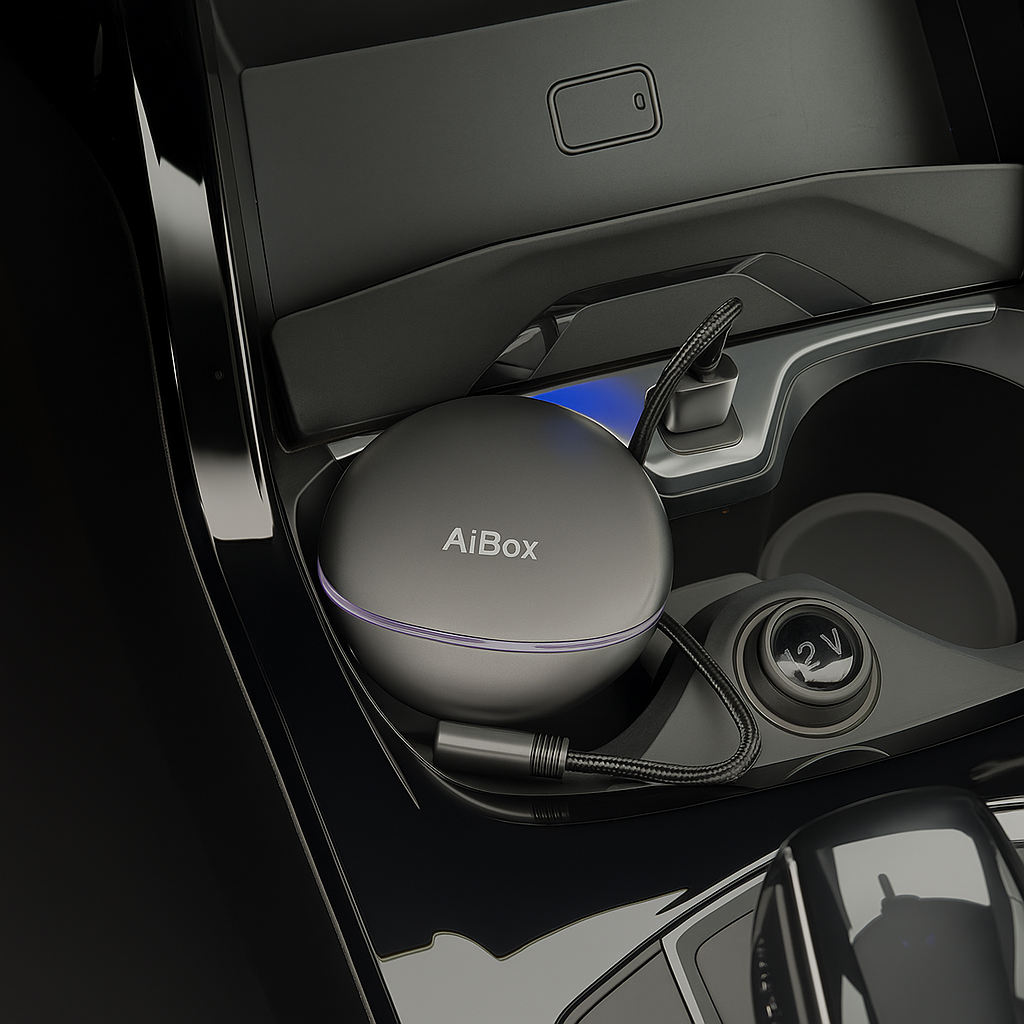
Connect the device to your car
Use the USB cable included in the kit and connect to the port.
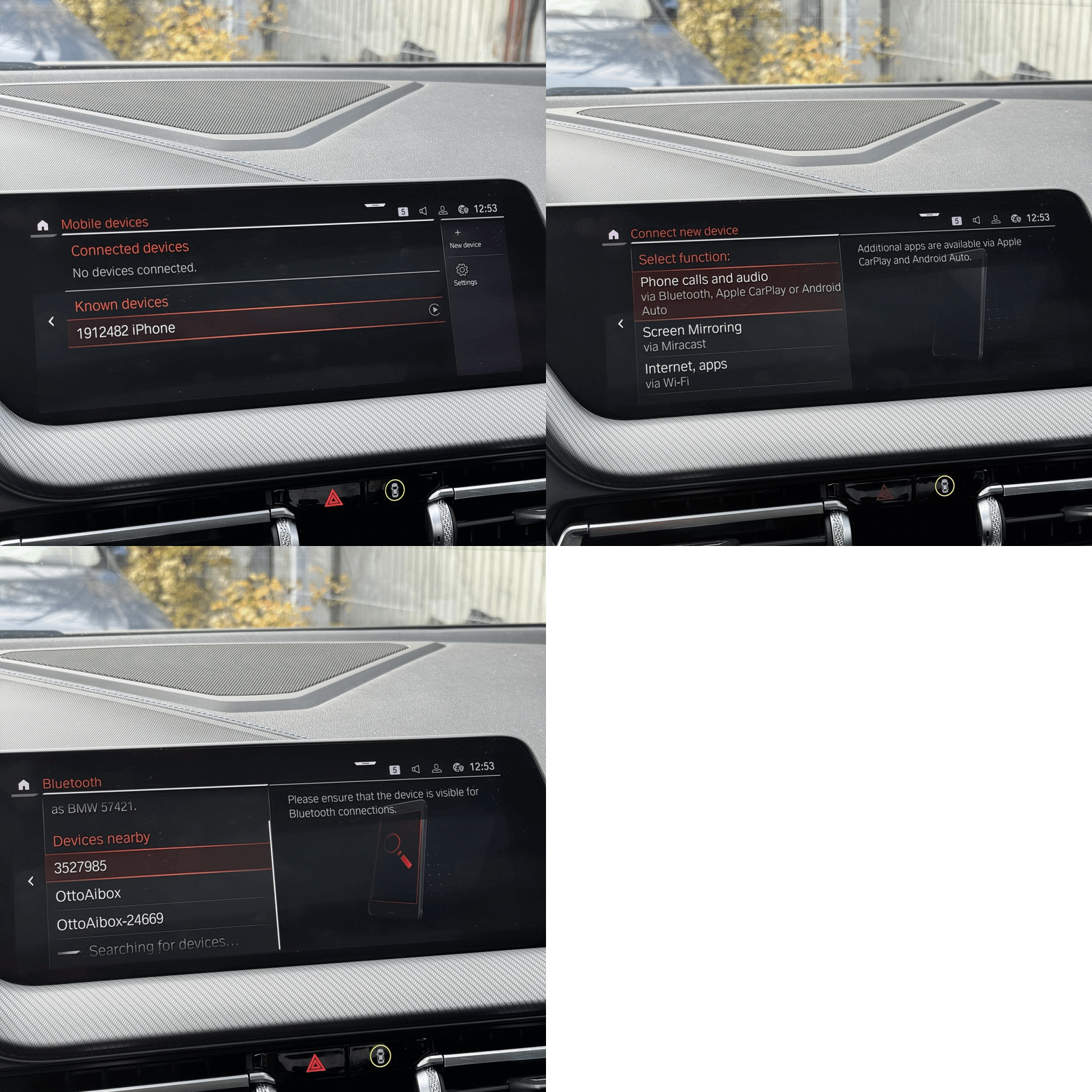
Enter the "Mobile device" menu and choose to add a new "+ New device"
Then select the Apple CarPlay or Android Auto feature and it will start searching for a new device.
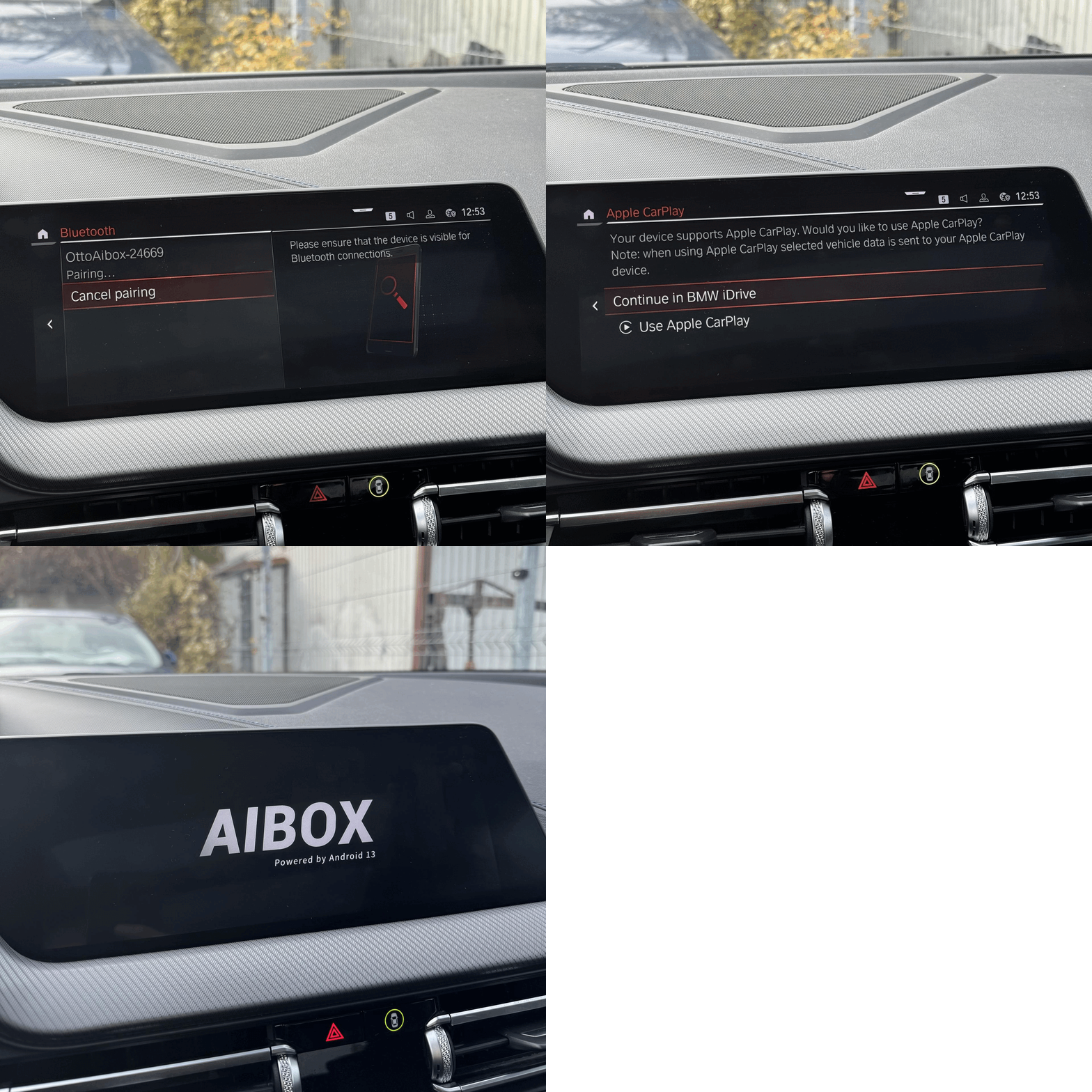
From the devices that appear, select OttoAibox-24669.
It will ask you if you want to start CarPlay, agree and the device will start.
What the device will change in your car?
| Feature | With AIBOX | NO AIBOX |
|---|---|---|
| Apple CarPlay/Android Auto | ||
| Video streaming (Netflix, YouTube) | ||
| Google Play Store | ||
| Split-Screen mode | ||
| Full Android system | ||
| Work without a phone | ||
| Internet SIM card | ||
| Games and applications |
Established and reliable
 35,000+ products sold
 32,000+ Satisfied Customers
Frequently asked questions
Is it compatible with my BMW?
AiBox works with all BMW models that have built-in Apple CarPlay (2016-2025). This includes most models from the 1, 2, 3, 4, 5, 6, 7, 8, X1, X2, X3, X4, X5, X6, X7, Z4 series with iDrive 6, 7, 8 and 9 systems. If your car has a working CarPlay - AiBox will work 100%. Not sure if you have CarPlay? Connect your iPhone to the USB port - if the CarPlay icon appears on the screen, the car is compatible. Still not sure? Write to us on WhatsApp with the model and year - we will respond within 2 minutes.
My car doesn't have CarPlay - can I use AiBox?
Unfortunately not. AiBox requires your BMW to have factory Apple CarPlay to work. If your car is older (before 2016) or does not have CarPlay enabled, you will need to add this feature first. You can have CarPlay coding done at a BMW service center (around 200-400 BGN) and then add AiBox. Or check out our PerglotScreen Ultra as an alternative.
Do I need to install special software or change settings in BMW?
Absolutely not. AiBox is a Plug & Play device - you connect the USB-C cable to the BMW USB port (where you would normally connect your phone for CarPlay) and it automatically appears on the screen. No software, no settings in iDrive, no coding. Uses the existing CarPlay connection. Easier than charging a phone.
What internet do I need for it to work?
You have 3 options: (1) The built-in 4G module with your Nano SIM card - the most convenient option, you are independent of a phone and WiFi; (2) WiFi hotspot from your phone; (3) Public WiFi networks. We recommend the 4G option - get a cheap data plan from Yettel/Vivacom/A1 (5-10 BGN per month for 10GB) and you will never have a problem with the internet. For Netflix we recommend at least 5GB per month, for YouTube Music - 2-3GB is enough.
Can I use CarPlay and the Android apps? at the same time
Yes! This is one of the biggest advantages. You can switch between CarPlay mode (for navigation and Apple Music) and Android mode (for Netflix, YouTube, games) with a single touch. Or use the Split-Screen feature - Waze from CarPlay on the left, Spotify from Android on the right. Complete freedom to combine the best of both worlds.
Will BMW damage my system or warranty?
Absolutely not. AiBox connects via USB port without touching the original BMW software or hardware. It uses the standard CarPlay communication that already exists. Over 2,800 customers have installed it without a single problem. You can remove it at any time and the car returns to its original condition. BMW dealers will not even know you have it. Plus - you give a full 2-year warranty on the device itself.
Do I have to take it out every time I turn off the car?
No, you leave it plugged in all the time. AiBox has an intelligent power management system:
- When you start the car → it automatically turns on in 3-5 seconds
- When you turn off the car → it automatically turns off
- In Sleep mode, the consumption is 0.01A - it can't drain the battery even if you don't ride for 2 weeks
How do I switch between CarPlay and AiBox?
There is a small icon in the upper right corner of the screen. One touch → switches between CarPlay and Android interface. Or use the BMW home button to see both options. Switching takes 2 seconds.
Can I download movies to watch offline?
Yes! The device has 64GB of internal memory + microSD card slot up to 256GB. You can:
- Download movies/series from Netflix for offline viewing
- Copy personal video files (MP4, MKV, AVI)
- Save music for offline listening
- Install games and apps
Up to 320GB of space in total - that's 100+ Full HD movies offline.
You did not find an answer to your question?
Turn the BMW Screen into a Wireless Streaming Center
- Works with Android Auto and Apple CarPlay
- Watch Television, Netflix, Youtube and all your other favorite apps
- Works on the go
- Function for split screen - watch Google Maps and Youtube at the same time
- Internet connection via WI-FI, SIM card, CloudSIM and HotSpot
- Possibility of device control via phone
- Automatic connection
Delivery in 1-2 days
30 days right of return
This product has no reviews yet.